Question
In: Computer Science
You mission is create a C# program with the following. 1. At the top center of...
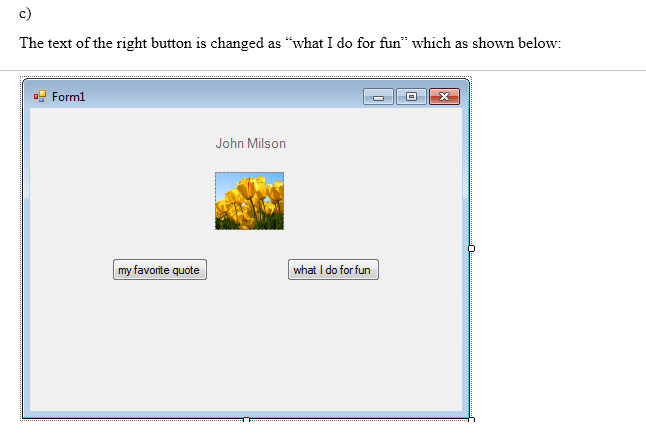
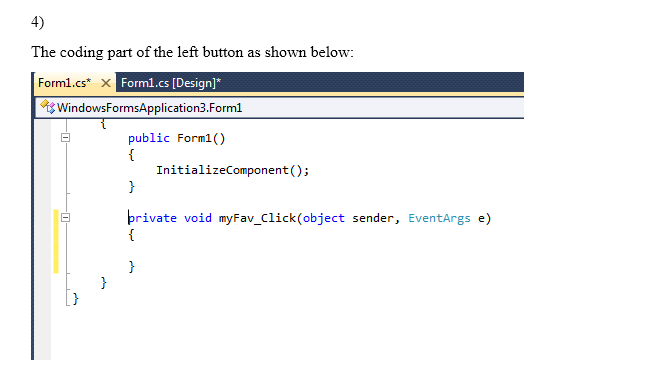
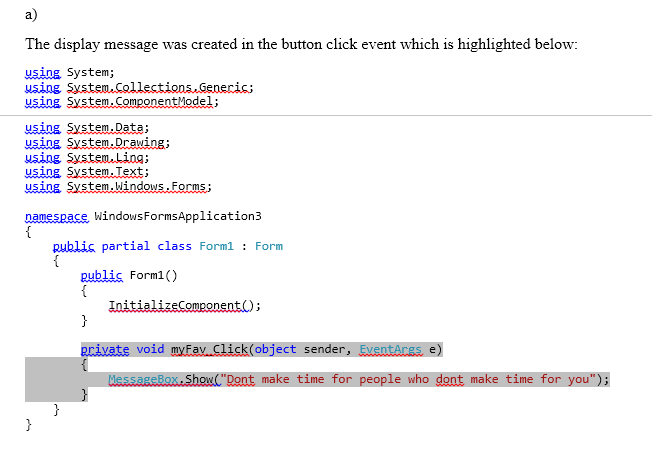
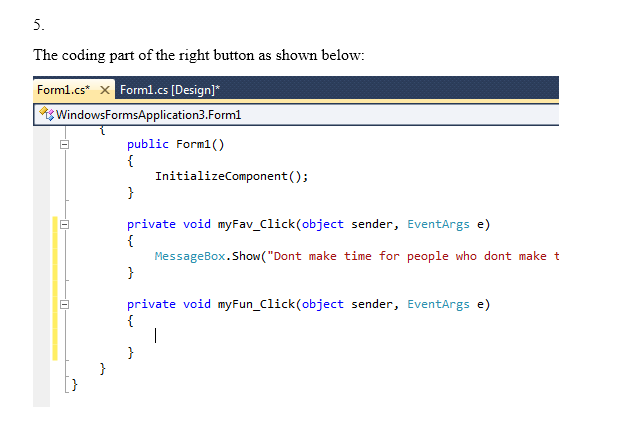
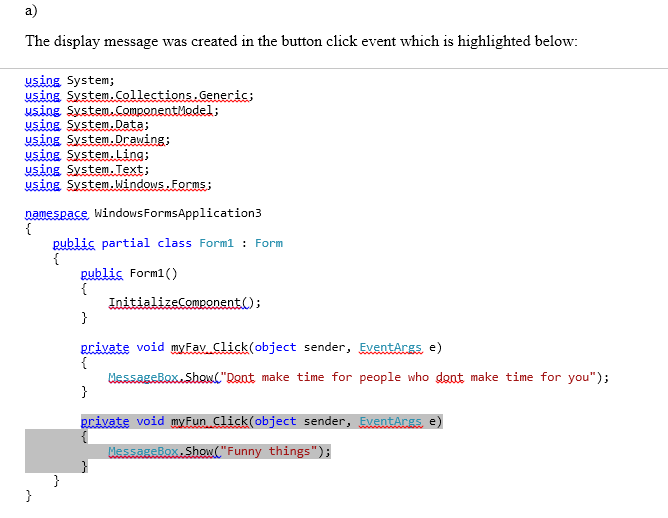
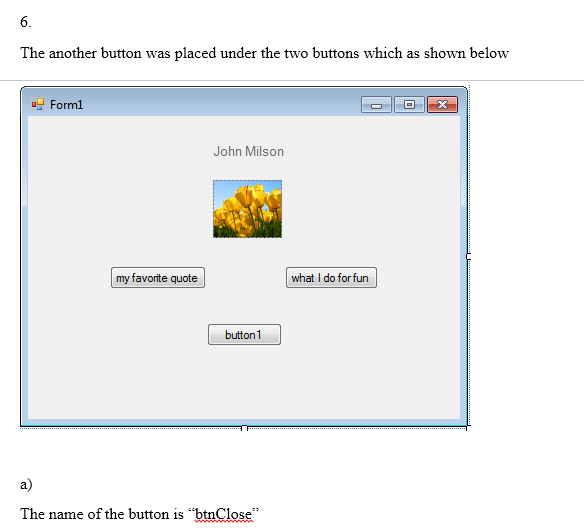
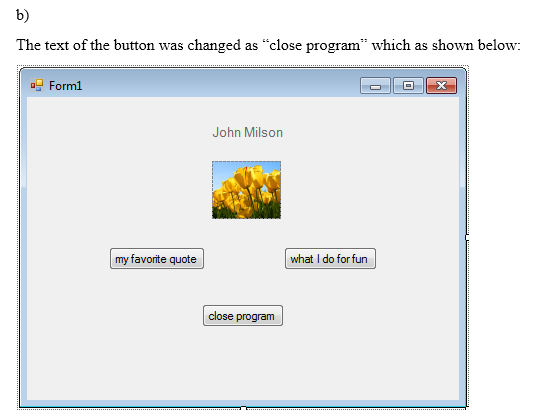
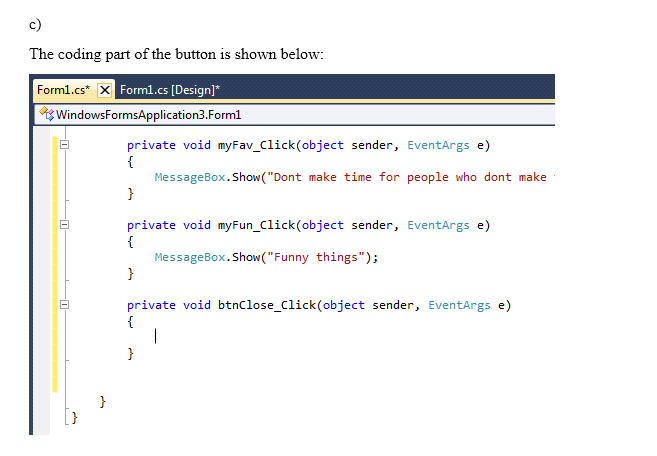
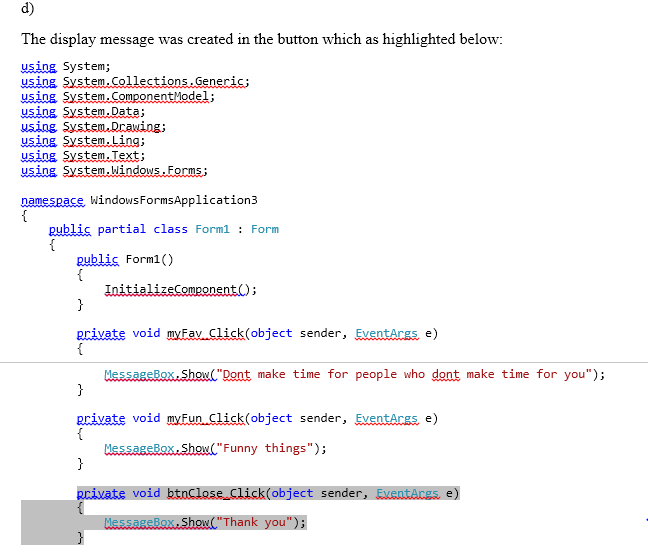
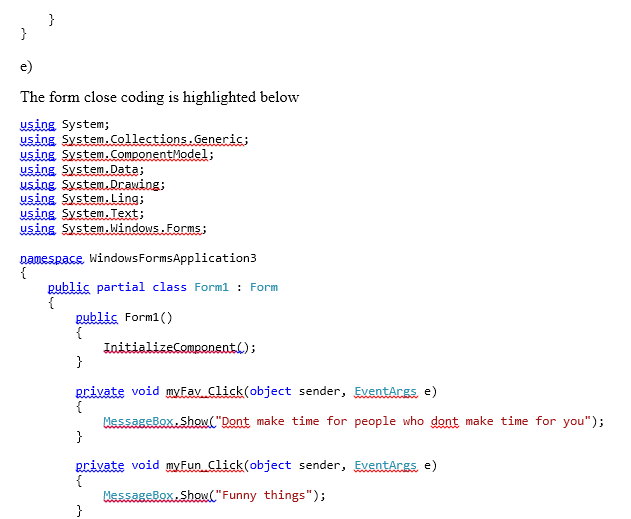
You mission is create a C# program with the following. 1. At the top center of the page is a title which displays your name - use a label. a. adjust the font size from the default to a bigger size. b. adjust the font color to a different color than the default c. name the label using a naming convention shown in the chapter. Use this same format for all of your objects. 2. Below the title, centered, place a picture of yourself using the picturebox tool explained in the chapter. a. name the picture box with a meaningful name using the naming convention you used in #1. b. size the picture to fit evenly under your title. c. make sure the picture is properly saved in the right location within the C# application or it won't be copied when you submit the assignment. Do not code a complete location like c:/myfiles .... I won't have the same folders as you. It has to reside in the proper images folder which is located with your other program files. 3. Create TWO buttons on the same line (row) as each other. They should be evenly spaced apart from each other..Same space between the left edge, center, and right edge. a. Give each button a meaningful name using the naming convention you used for #1. b. The left button should display (within the button itself), the words - my favorite quote. c. The right button should display (within the button itself), the words - what I do for fun. 4. Double click the left button. You should now be in the code area for the click event for this button. a. Create the code (only takes one line) to display your favorite quote when the button is clicked. 5. Double click the right button. You should now be in the code area for the click event for this button. a. Create the code (only takes one line) to display a statement about what you do for fun. 6. Place another button below the two buttons, centered under the picture. a. Name the button with a meaningful name using the naming convention you used in #1. b. The words inside the button will be - close program c. Double click the button to enter code under the button. d. Enter a line of code which will display something funny about the person leaving your program. e. Enter a second line of code which closes the program. Test, Test, Test! Make sure it works. I will be testing your program!
Solutions
Expert Solution
1
lable at top center using c# coding
using System;
using System.Drawing;
using System.Windows.Forms;

namespace WindowsFormsApplication1
{
    public partial class Form1 : Form
    {
        public Form1()
        {
            InitializeComponent();
        }

        private void Form1_Load(object sender, EventArgs e)
        {
Label  usrName= new Label()
    {
        Size = new Size(30, 30),
        Text = "john milson",
        Anchor = AnchorStyles.None,
        TextAlign = ContentAlignment.MiddleCenter,
        Enabled = false,
        Font = new Font("Black", 6),
        ForeColor = Color.Skyblue.
}
}

}
    };
or
drag and drop the lable and set name as john milson
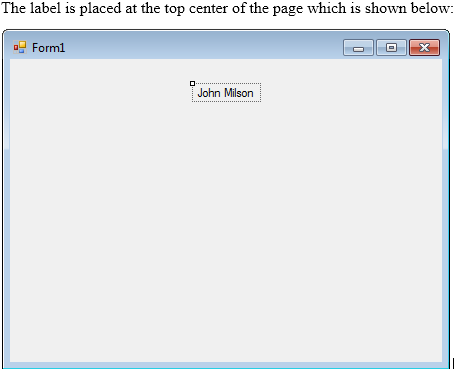
a.in the above code we want to change font size to 10 and
b.font color to different color
then we use
Font = new Font("yash", 10),
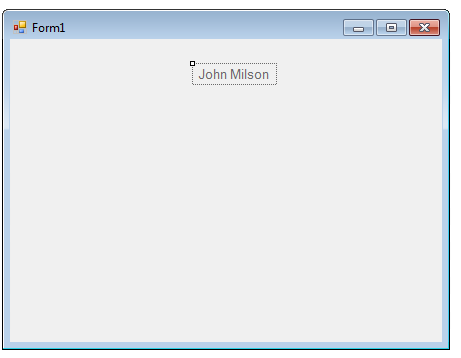
c. lable name as useName
2.
using System;
using System.Drawing;
using System.Windows.Forms;

namespace WindowsFormsApplication1
{
    public partial class Form1 : Form
    {
        public Form1()
        {
            InitializeComponent();
        }

        private void Form1_Load(object sender, EventArgs e)
        {
Label usrName= new Label()
{
Size = new Size(30, 30),
Text = "john milson",
Anchor = AnchorStyles.None,
TextAlign = ContentAlignment.MiddleCenter,
Enabled = false,
Font = new Font("Black", 6),
ForeColor = Color.Skyblue.
}
PictureBox picture = new PictureBox
        {
            Name = "pictureBox",
            Size = new Size(100, 50),
            Location = new Point(14, 17),
            Image = Image.FromFile(@"c:Images   est.jpg"),
            SizeMode = PictureBoxSizeMode.CenterImage
}
}
}
};


OR
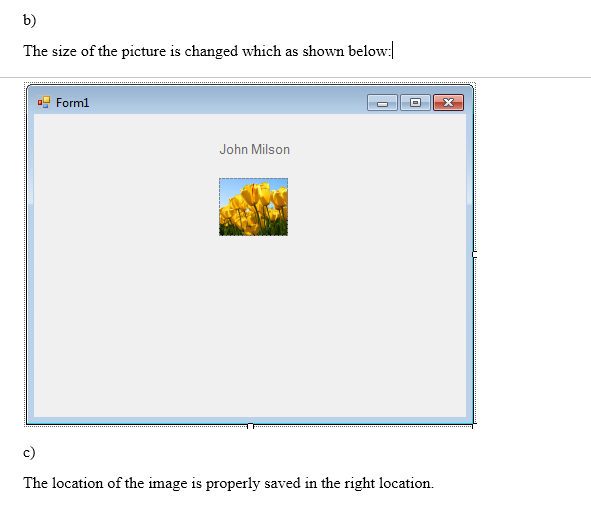
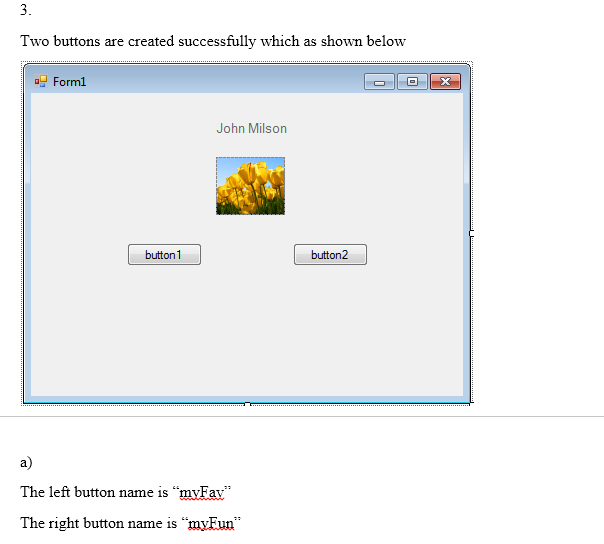
DRAG AND DROP THE PICTURE BOX
 venereology answered 3 months ago
Related Solutions
C++ Vectors. Create a program do the following in the program: 1. declare an vector without...
Create a memory diagram for the following C program when the program reaches point 1. void...
Write a C program that does the following. (a) Start with comment statements at the top...
********************C# C# C#******************** Part A: Create a project with a Program class and write the following...
C/ C++ Preferably 1. Write a simple program where you create an array of single byte...
C++ program homework question 1 1. Create and implement a class called clockType with the following...
Working with Files in C++. Create the following program called payroll.cpp. Note that the file you...
Create a C program that performs the following (please comment the codes): a) Create a Stack...
I am trying to create a makefile for the following program in Unix. The C++ program...
Using C++, you will create a program, where you will create two doubly linked lists. These...
- A 244 g mass is hung on a spring. As a result the spring stretches 20.5...
- I'm trying to Generate number every 3 seconds and update the currenet number.I'm able to generate...
- a sulfide of iron, containing 36.5% S by mass, is heated in O2(g), and the products...
- Python previous function: wrtie a function that takes one argument. The function returns True if the...
- A professional couple wishes to purchase a new home costing $750,000, make a 20 percent down...
- Padre holds 100 percent of the outstanding shares of Sonora. On January 1, 2016, Padre transferred...
- Question: Use backtracking algorithm design to write Java code to solve the subset problem: given a...