Question
In: Computer Science
Java Programming: Using textI/O models, create a Write file, Append file, and a Read file. Write...
Java Programming:
Using textI/O models, create a Write file, Append file, and a Read file. Write 10 fahrenheit temperature to a text file, append 5 more temperatures, then read these numbers calculating, in a method, the Celsius temperature, and printing the results via another method.
Solutions
Expert Solution
// Program in JAVA
import java.io.BufferedReader;
import java.io.File;
import java.io.FileNotFoundException;
import java.io.FileReader;
import java.io.FileWriter;
import java.io.IOException;
import java.io.PrintWriter;
class Main
{
//main function
public static void main (String[] args) throws
FileNotFoundException, IOException
{
// variables for path of the files
String readFilePath =
"C:\\\\Users\\\\shubham\\\\Desktop\\\\Read.txt";
String writeFilePath =
"C:\\\\Users\\\\shubham\\\\Desktop\\\\Write.txt";
String appendFilePath =
"C:\\\\Users\\\\shubham\\\\Desktop\\\\Append.txt";
// create read, write & append files
File readFile = new File(readFilePath);
File writeFile = new File(writeFilePath);
File appendFile = new File(appendFilePath);
// check if files are created and display the prompt
accordingly
if (readFile.createNewFile() && writeFile.createNewFile()
&& appendFile.createNewFile())
{
System.out.println("Files are created!");
}
else
{
System.out.println("One(or more) file(s) already exist!");
}
//Write Content read from readFile to writeFile
FileWriter writer = new FileWriter(writeFile);
// store the readFileFun() returned string in a
variable
String temp = readFileFun(readFilePath);
// split the string by newline
String lines[] = temp.split("\n");
// write each line to file
int i=0;
while(i!=lines.length)
{
writer.write(lines[i] + "\n");
i++;
}
// close the file
writer.close();
//Write Content read from appendFile to writeFile by setting
second parameter to true
FileWriter append = new FileWriter(writeFile, true);
// create new printwriter object
PrintWriter pw = new PrintWriter(append);
// append to file using that object
pw.println(readFileFun(appendFilePath));
// close the file
pw.close();
//Now read the data from the readfile to display the converted
temperature on the screen
String readData = readFileFun(readFilePath);
// split the string by newline
String eachLines[] = readData.split("\n");
i=0;
while(i != eachLines.length)
{
System.out.println("Original temperature(in Fahrenheit): " +
eachLines[i]
+ " Converted temperature(in Celsius): " +
((Integer.valueOf(eachLines[i])-32)*5/9));
i++;
}
}
// function to readFile from a file with path being provided as
a parameter
private static String readFileFun(String pathOfFile)
{
// create a new StringBuilder object to build a string by
appending read data
StringBuilder sb = new StringBuilder();
// try reading the file by bufferedreader object
try (BufferedReader br = new BufferedReader(new
FileReader(pathOfFile)))
{
// variable to store each line
String line;
while ((line = br.readLine()) != null)
{
// append each line to the stringbuilder object
sb.append(line).append("\n");
}
}
// catch exception if file is not found
catch (IOException e)
{
e.printStackTrace();
}
// return the object as string
return sb.toString();
}
}
// Contents of Read.txt
40
44
88
144
56
75
68
94
55
66
// Contents of Append.txt
65
55.5
77.7
45.6
89.9
// Contents of Write.txt (Note that this may not appear formatted(with newline) in notepad, try better editors for desired formatting)
40
44
88
144
56
75
68
94
55
66
65
55.5
77.7
45.6
89.9
// Output
One(or more) file(s) already exist!
Original temperature(in Fahrenheit): 40 Converted temperature(in
Celsius): 4
Original temperature(in Fahrenheit): 44 Converted temperature(in
Celsius): 6
Original temperature(in Fahrenheit): 88 Converted temperature(in
Celsius): 31
Original temperature(in Fahrenheit): 144 Converted temperature(in
Celsius): 62
Original temperature(in Fahrenheit): 56 Converted temperature(in
Celsius): 13
Original temperature(in Fahrenheit): 75 Converted temperature(in
Celsius): 23
Original temperature(in Fahrenheit): 68 Converted temperature(in
Celsius): 20
Original temperature(in Fahrenheit): 94 Converted temperature(in
Celsius): 34
Original temperature(in Fahrenheit): 55 Converted temperature(in
Celsius): 12
Original temperature(in Fahrenheit): 66 Converted temperature(in
Celsius): 18
// Screenshot of Code & Output (for reference to indentation)
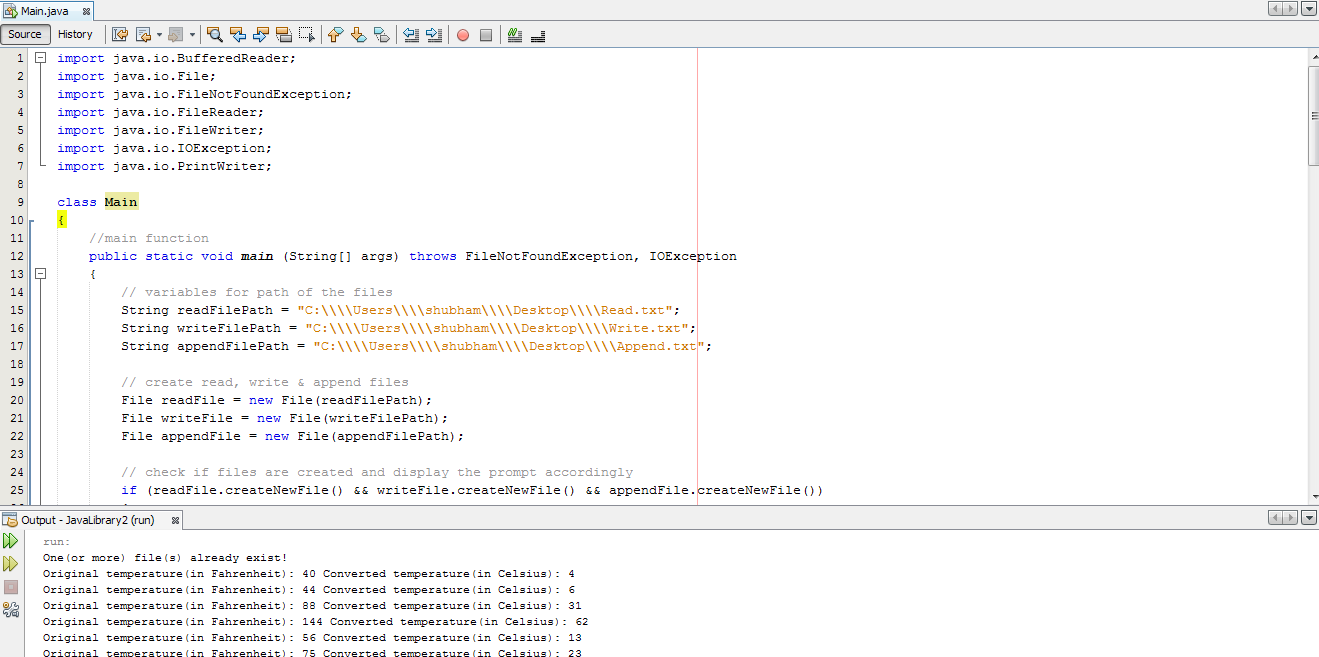
(Thank You!!)
 venereology answered 3 weeks ago
Related Solutions
Write a java program that can create, read, and append a file. Assume that all data...
how to read, write and append a text file using a switch case in java.I need...
Using the Java programming language: Create and implement a class Car that models a car. A...
Using Java create an application that will read a tab-delimited file that displays the MLB standings...
Answer the following in Java programming language Create a Java Program that will import a file...
Java Programming create a program that calculates the average of the prime values in the file....
This for Java Programming Write a java statement to import the java utilities. Create a Scanner...
Please write a java program to write to a text file and to read from a...
Read previously created binary file using ObjectInputStream Create an appropriate instance of HashMap from Java library...
Using Java Summary Create a Loan class, instantiate and write several Loan objects to a file,...
- Do you think that CAFTA will have a major impact on the U.S. economy? Why?
- Assignment 4, Fraction Comparable Instructions For this assignment, you will be updating the Fraction class from...
- what crystal claim that English is doing across the world?
- Site map for your e-commerce site. How many webpages this site has? What’s the name of...
- A skier of mass 60 kg starts at the top of a steep slope with an...
- If banks must hold $4 in reserves for each $10 in deposits, and the public decides...
- A 244 g mass is hung on a spring. As a result the spring stretches 20.5...