Question
In: Computer Science
*In Java Please! Tasks This assignment has three parts: Create a LinkedList class. Create a BirdSpecies...
*In Java Please!
Tasks
This assignment has three parts:
- Create a LinkedList class.
- Create a BirdSpecies class.
- Print out the results after testing each of the methods in both of the classes and solving a simple problem with them.
Task 1 – LinkedList Class
Create a LinkedList class. It may be singly linked, circularly linked, or doubly linked. A singly linked list may be in either direction, forwards or backwards, while a doubly linked list must be in both directions, forwards and backwards. A circularly linked list will connect the end with the beginning, instead of pointing to null, but otherwise it is a singly linked list. We will need at least one private variable which represents the starting point of our list. The nodes for this list will need the typical private fields of next and data, but also count which will store the number of times a specific species of bird has appeared in a survey.
We must also create a constructor for our LinkedList. Let’s create a default constructor that creates a list of size zero.
Next is to create an Add method. This will add the given BirdSpecies object to the end of the list, if the species is not already in the list. If it is in the list, then the variable count of that species is increased by one (remember that count comes from the node, not the list or BirdSpecies class). Also keep track of the position where a new BirdSpecies was added into the list. This will be returned to the Main method.
Another method called GetCount that returns the count of a given BirdSpecies. If that species is not on the list, return zero.
Finally, a GetReport method that returns the name and count of each BirdSpecies on the list. If the list is empty, return a special message that says the list is empty.
Task 2 – BirdSpecies Class
Create a BirdSpecies class that has private variables for the name of the species. Use an overloaded constructor to create a BridSpecies with a given name. Also use a getter and setter that manipulate the name. Finally, let’s make a ToString method that returns the name of the species.
Task 3 – The Tester Class
Create a Tester Class, with a Main method. In the Main method, create one LinkedList object. The values will be entered into the LinkedList using user input and a loop. The loop will keep accepting user input until they enter “done” when asked if they wish to enter another bird species. If the user enters a new bird species into the list, use the ToString method of the new BirdSpecies object to display its name along with the position that it now has in the list. If another bird of the same species is added to the list, display the ToString method of the original BirdSpecies object and its count (but not its position). Finally, print out the list using the GetReport method of the LinkedList.
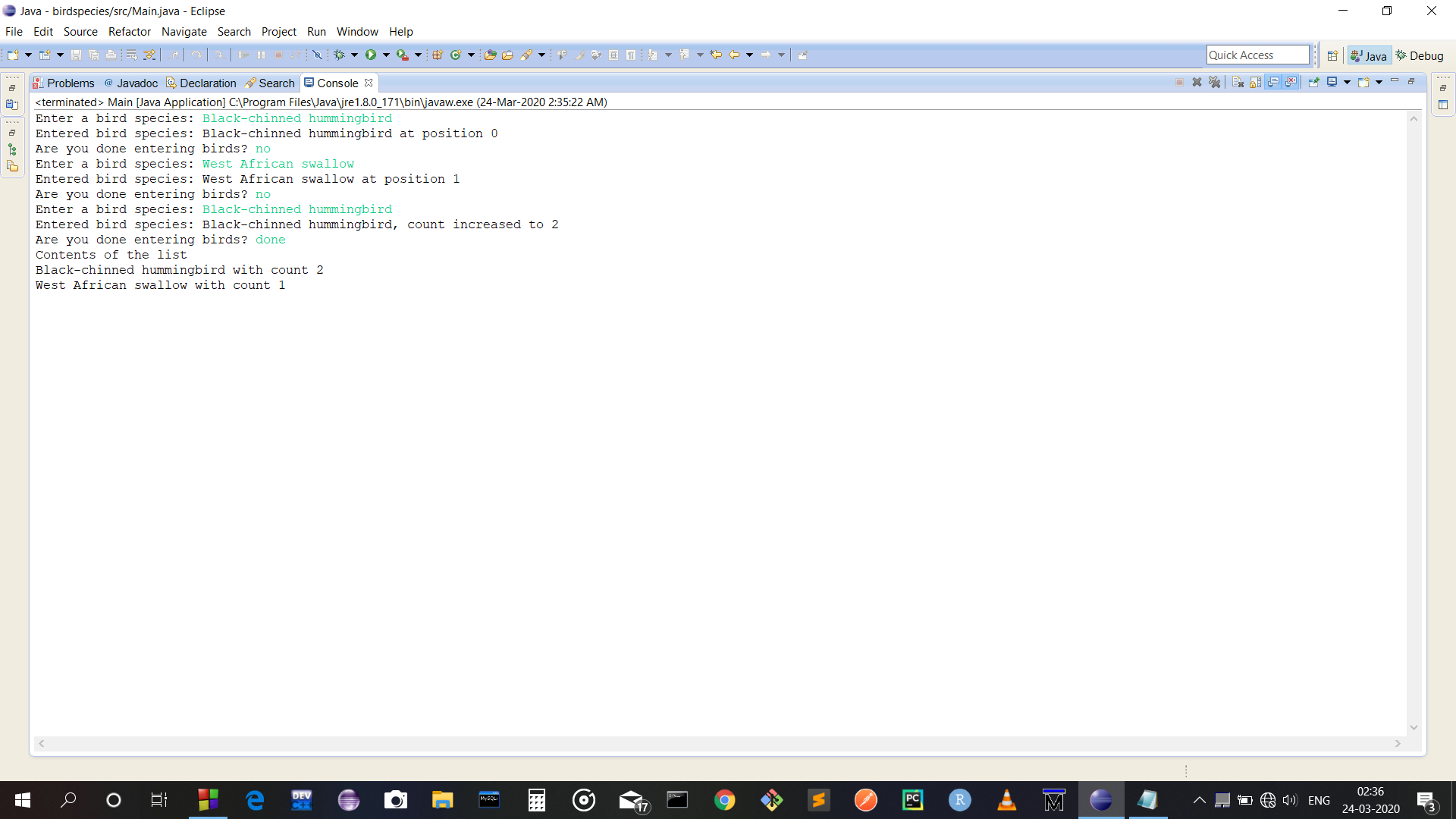
∃ Some Sample Output:
Enter a bird species: Black-chinned hummingbird
Entered bird species: Black-chinned hummingbird at position 0.
Are you done entering birds? no
Enter a bird species: West African swallow
Entered bird species: West African swallow at position 1.
Are you done entering birds? no
Enter a bird species: Black-chinned hummingbird
Entered bird species: Black-chinned hummingbird, count increased to 2.
Are you done entering birds? done
Contents of the list:
Black-chinned hummingbird with count 2
West African swallow with count 1
You need to implement your sourcecode into the given template below:
//Template for Class BirdSpecies------------------------------------------------------------------
| package com.company; | |
| public class BirdSpecies | |
| { | |
| private String nameOfSpecies; | |
| public BirdSpecies(String nameOfSpecies) | |
| { | |
| //Initialize the name of the bird. | |
| } | |
| public void SetName(String name) | |
| { | |
| //Change the name of the bird. | |
| } | |
| public String GetName() | |
| { | |
| //Return the name of the bird. | |
| } | |
| @Override | |
| public String toString() | |
| { | |
| //Return the name of the bird. | |
| } | |
| } |
// Template for Class LinkedList-------------------------------------------------------------------------------------
package com.company;
public class LinkedList
{
private Node first;
public LinkedList()
{
this.first = null;
}
public int Add(Type data)
{
//CASE 0: List is empty or first is the same species.
//CASE 1: List is not empty, search for species as we move to the
end of the list,
// otherwise add at end.
}
public int GetCount(Type data)
{
//Search through the list looking for the value given.
//Otherwise return 0 if we reached the end.
}
public String GetReport()
{
//CASE 0: List is empty, return a special message.
//CASE 1: List is not empty, return the species and count of
each bird.
//Hint, use the toString of the bird to do so.
}
//Simple Node Class
class Node
{
E data;
Node next;
int count;
public Node(E data)
{
this.data = data;
this.next = null;
this.count = 1;
}
}
}
//Template for Main Class (No change needed here)-------------------------------------------------------
package com.company;
public class Main
{
public static void main(String[] args)
{
LinkedList list = new LinkedList<>();
System.out.println("Entered the black chin at: " + list.Add(new
BirdSpecies("Black-chinned hummingbird")));
System.out.println("Entered the African swallow at: " +
list.Add(new BirdSpecies("West African Swallow")));
System.out.println("Entered the second black chin at: " +
list.Add(new BirdSpecies("Black-chinned hummingbird")));
System.out.println("Entered the African swallow at: " +
list.Add(new BirdSpecies("West African Swallow")));
System.out.println("Count of black chin is: " + list.GetCount(new BirdSpecies("Black-chinned hummingbird")) );
System.out.println(list.GetReport());
}
}
Solutions
Expert Solution
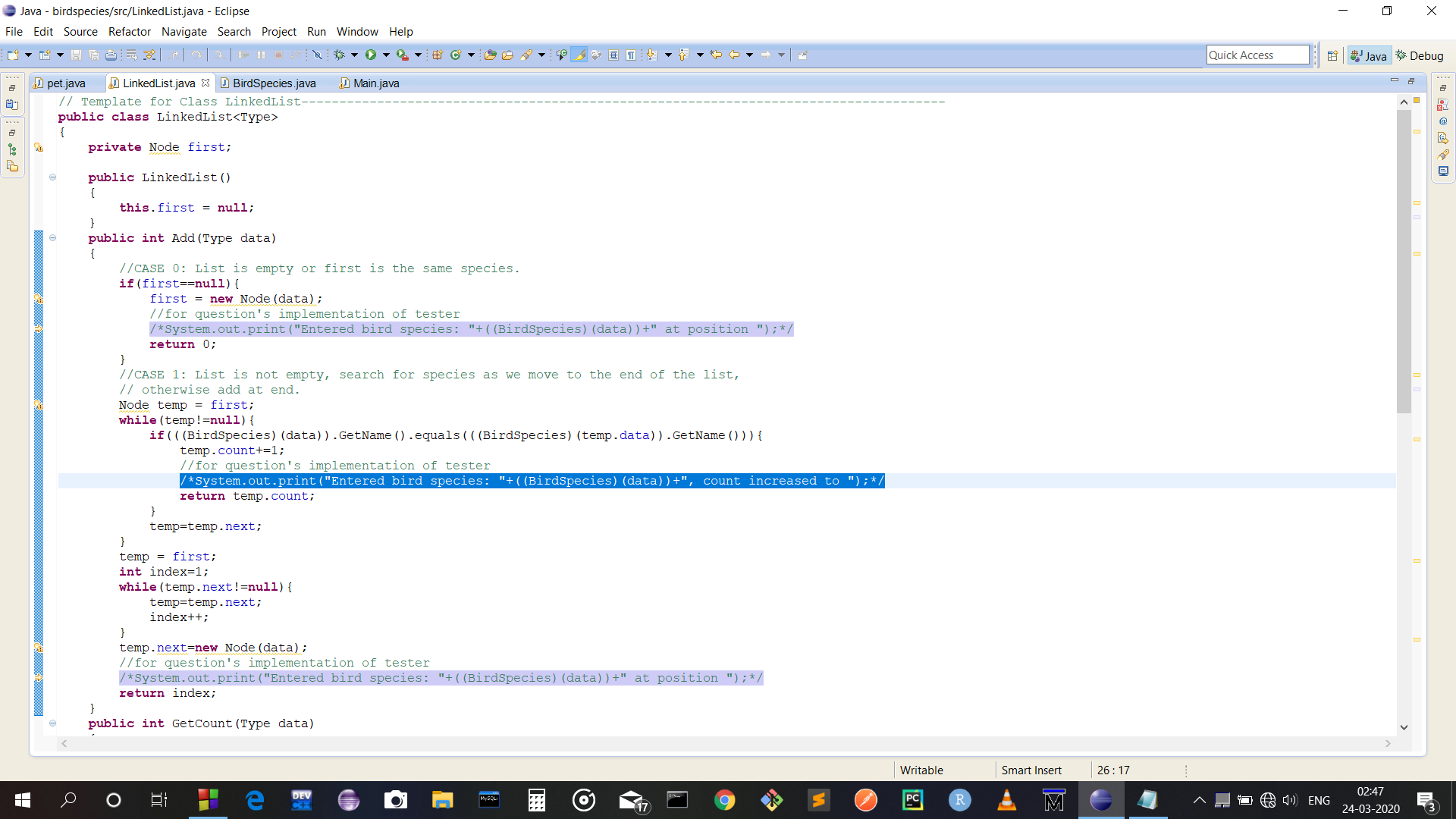
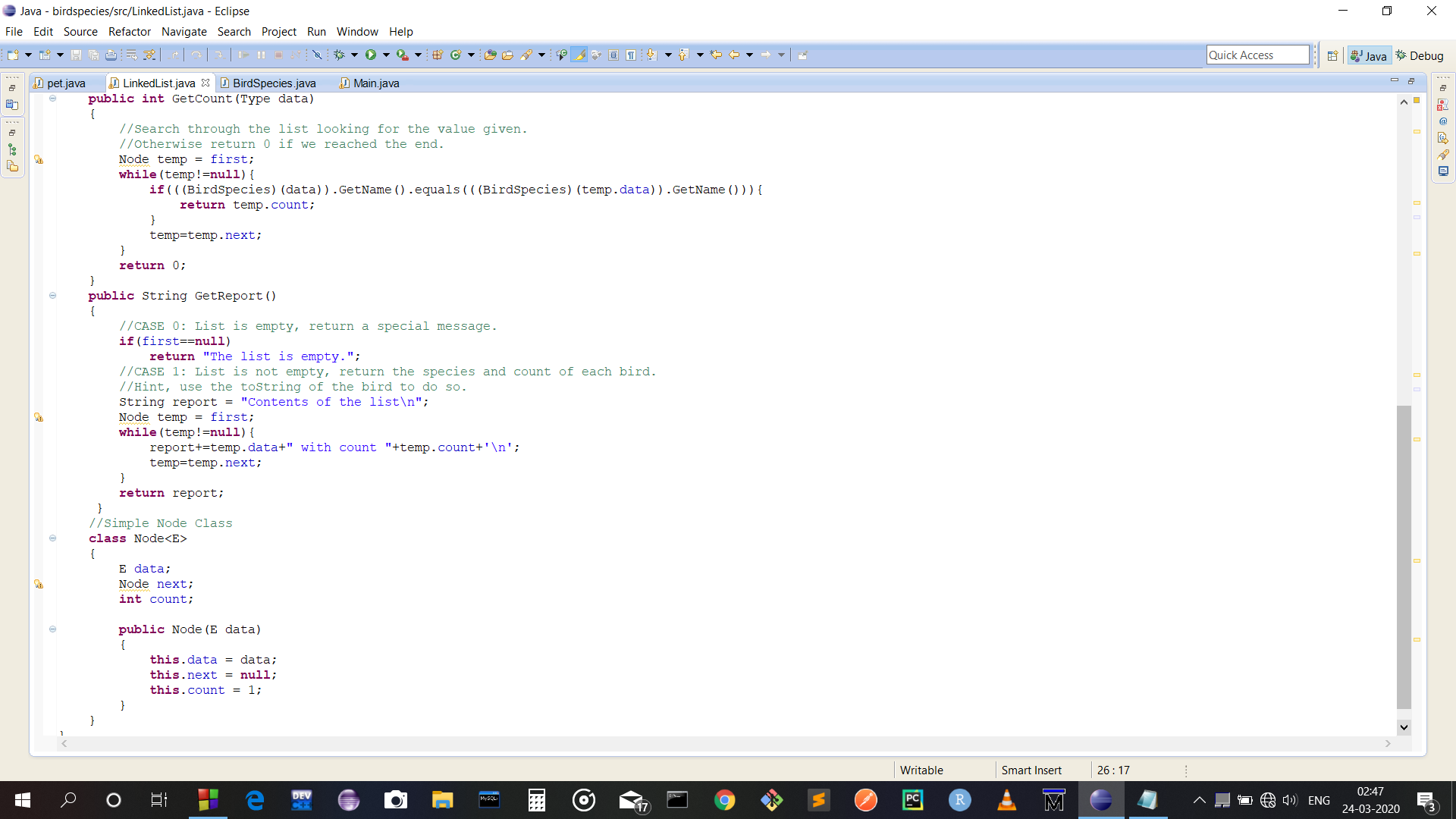
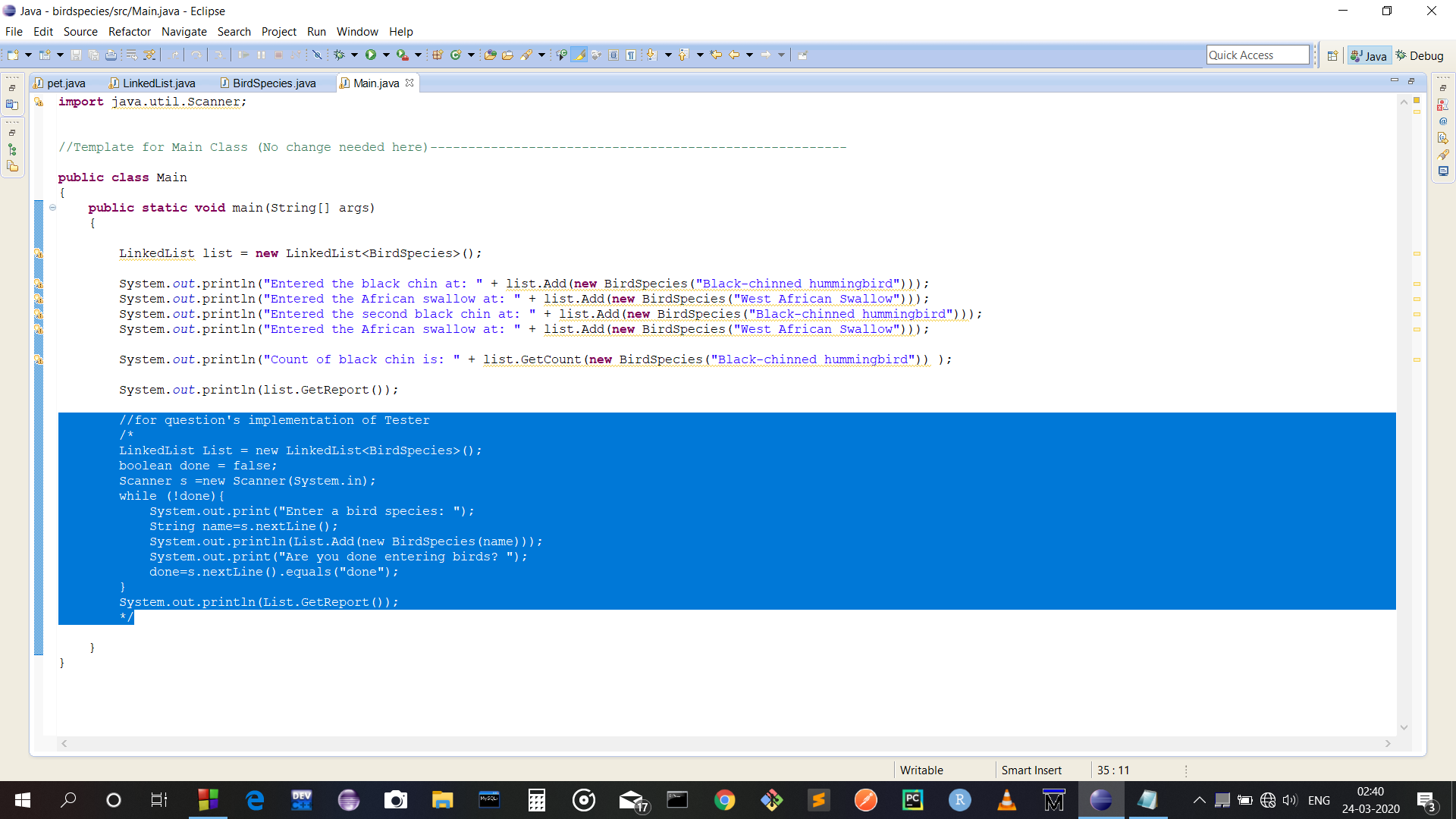
Below are screenshots of code and output. Your 'Main' class does not work as mentioned in question - it does not have a loop prompting user for new bird species. Thus your code did not produce the same output as in thevquestion. I did implement all the classes and functions as per the skeleton provided, in addition, I added the lines of code required to make it behave in the same way as mentioned in question and generate same output for the input as in the sample provided in question. However commented those lines using muliline comments(/* .... */) . You may uncomment those lines as per your need. Those lines are highlighted in code screenshots attached below:
1.)LinkedList class(3 lines are highlighted)
2.)BirdSpecies class:
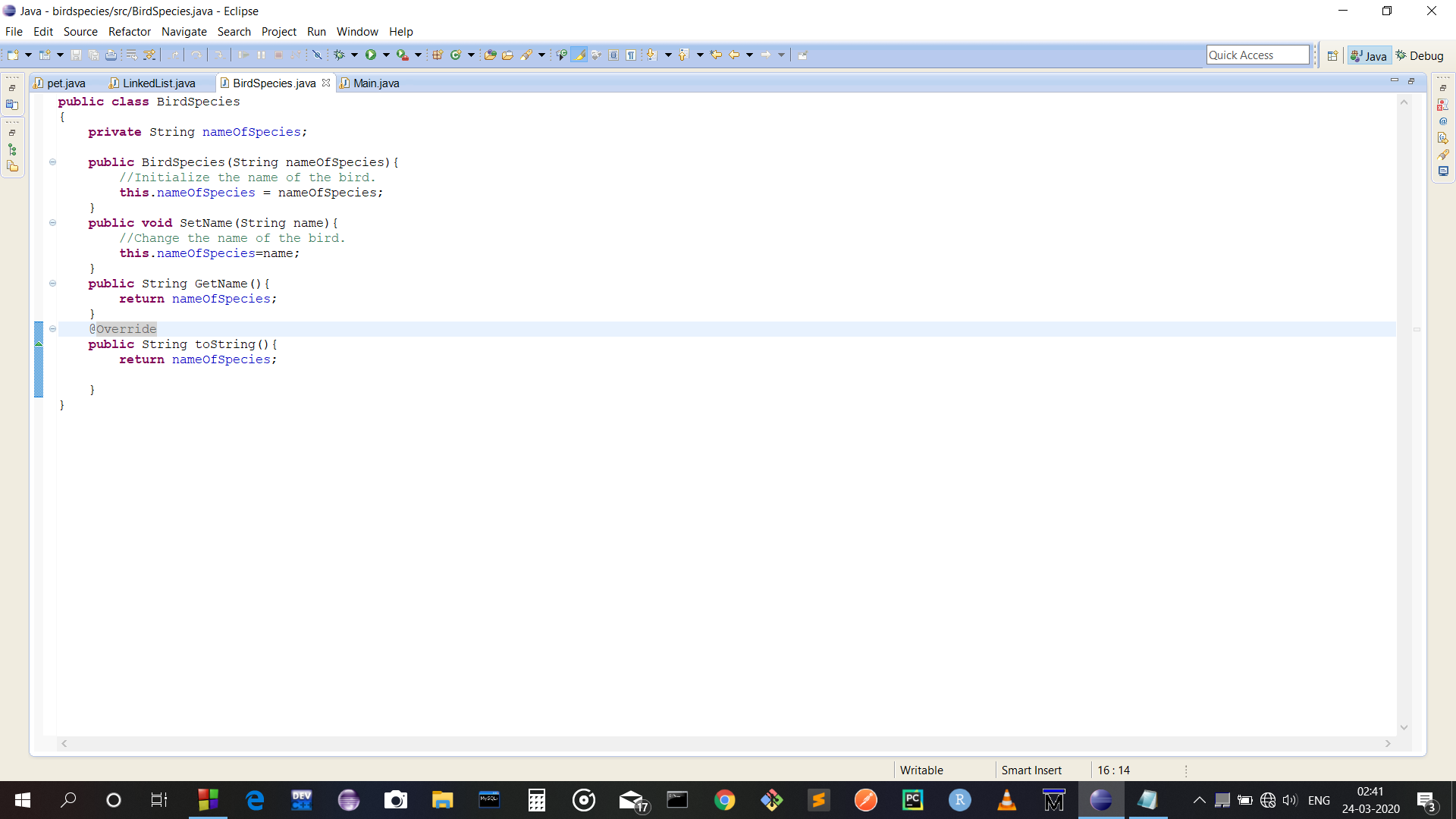
3.) Main class(there is a highlighted code snippet)
*)Output generated by given Main:
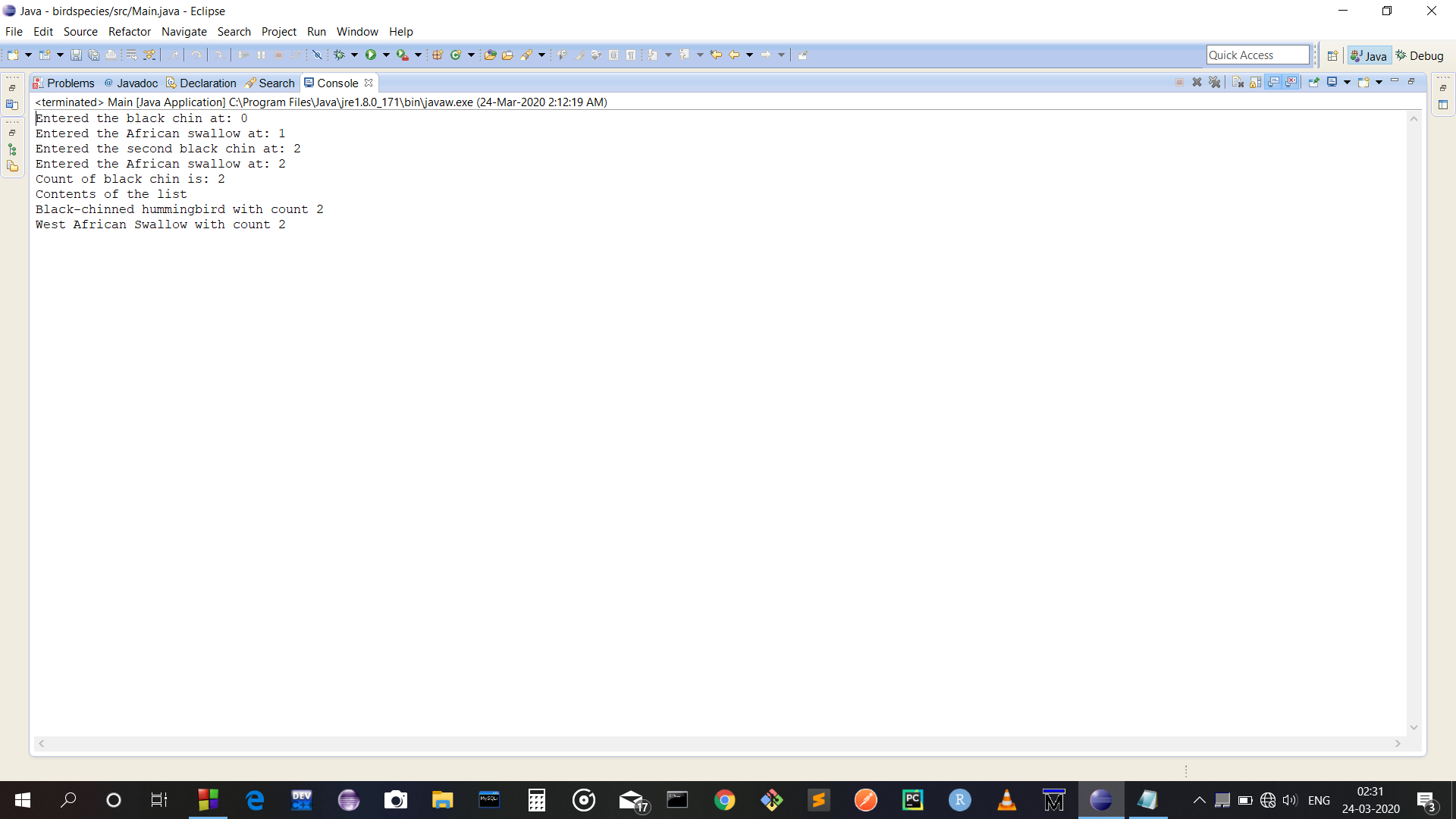
*) Output generated by replacing main function's implementation with the commented code snippet and uncommenting the 3 highlighted lines in LinkedList class(matches with sample output provided in question):
Below is the java code for the 3 classes:
// Template for Class LinkedList-------------------------------------------------------------------------------------
public class LinkedList<Type>
{
private Node first;
public LinkedList()
{
this.first = null;
}
public int Add(Type data)
{
//CASE 0: List is empty or first is the same species.
if(first==null){
first = new Node(data);
//for question's implementation of tester
/*System.out.print("Entered bird species: "+((BirdSpecies)(data))+" at position ");*/
return 0;
}
//CASE 1: List is not empty, search for species as we move to the end of the list,
// otherwise add at end.
Node temp = first;
while(temp!=null){
if(((BirdSpecies)(data)).GetName().equals(((BirdSpecies)(temp.data)).GetName())){
temp.count+=1;
//for question's implementation of tester
/*System.out.print("Entered bird species: "+((BirdSpecies)(data))+", count increased to ");*/
return temp.count;
}
temp=temp.next;
}
temp = first;
int index=1;
while(temp.next!=null){
temp=temp.next;
index++;
}
temp.next=new Node(data);
//for question's implementation of tester
/*System.out.print("Entered bird species: "+((BirdSpecies)(data))+" at position ");*/
return index;
}
public int GetCount(Type data)
{
//Search through the list looking for the value given.
//Otherwise return 0 if we reached the end.
Node temp = first;
while(temp!=null){
if(((BirdSpecies)(data)).GetName().equals(((BirdSpecies)(temp.data)).GetName())){
return temp.count;
}
temp=temp.next;
}
return 0;
}
public String GetReport()
{
//CASE 0: List is empty, return a special message.
if(first==null)
return "The list is empty.";
//CASE 1: List is not empty, return the species and count of each bird.
//Hint, use the toString of the bird to do so.
String report = "Contents of the list\n";
Node temp = first;
while(temp!=null){
report+=temp.data+" with count "+temp.count+'\n';
temp=temp.next;
}
return report;
}
//Simple Node Class
class Node<E>
{
E data;
Node next;
int count;
public Node(E data)
{
this.data = data;
this.next = null;
this.count = 1;
}
}
}
public class BirdSpecies
{
private String nameOfSpecies;
public BirdSpecies(String nameOfSpecies){
//Initialize the name of the bird.
this.nameOfSpecies = nameOfSpecies;
}
public void SetName(String name){
//Change the name of the bird.
this.nameOfSpecies=name;
}
public String GetName(){
return nameOfSpecies;
}
@Override
public String toString(){
return nameOfSpecies;
}
}
import java.util.Scanner;
//Template for Main Class (No change needed here)-------------------------------------------------------
public class Main
{
public static void main(String[] args)
{
LinkedList list = new LinkedList<BirdSpecies>();
System.out.println("Entered the black chin at: " + list.Add(new BirdSpecies("Black-chinned hummingbird")));
System.out.println("Entered the African swallow at: " + list.Add(new BirdSpecies("West African Swallow")));
System.out.println("Entered the second black chin at: " + list.Add(new BirdSpecies("Black-chinned hummingbird")));
System.out.println("Entered the African swallow at: " + list.Add(new BirdSpecies("West African Swallow")));
System.out.println("Count of black chin is: " + list.GetCount(new BirdSpecies("Black-chinned hummingbird")) );
System.out.println(list.GetReport());
//for question's implementation of Tester
/*
LinkedList List = new LinkedList<BirdSpecies>();
boolean done = false;
Scanner s =new Scanner(System.in);
while (!done){
System.out.print("Enter a bird species: ");
String name=s.nextLine();
System.out.println(List.Add(new BirdSpecies(name)));
System.out.print("Are you done entering birds? ");
done=s.nextLine().equals("done");
}
System.out.println(List.GetReport());
*/
}
}
 venereology answered 4 months ago
Related Solutions
Laboratory Tasks public class LinkedList { Node head; class Node {  
JAVA PROGRAMMING. In this assignment, you are to create a class named Payroll. In the class,...
Java Project Tasks: Create a Coin.java class that includes the following: Takes in a coin...
1. (10 pts) Define the nodes in the LinkedList. Create the LinkedList using the ListNode class....
Use LinkedList build-in class (java.util.LinkedList) to write a Java program that has: A. Method to print...
Assignment Tasks This assignment consists of three parts as follows (100 marks): Part 1(30 marks): Write...
java For this assignment, you will create a Time class that holds an hour value and...
create a java class with name ModernArt: For the first part of the assignment, you will...
THE QUESTION IS OF JAVA LANGUAGE. ANSWER IS REQUIRED IN THREE PARTS (THREE JAVA FILES). PLEASE...
Java File I/O Assignment: 1. Write a generic LinkedList class referencing page 2 and page 3....
- Dirac's Theorem states that "A simple graph with n vertices (n >= 3) is Hamiltonian if...
- Two 10-cm-diameter charged rings face each other, 15cm apart. The left ring is charged to -29nC...
- Under what conditions would it be possible for an excise tax to have no efficiency cost...
- explain the difference between activities and financial statements of service businesses and merchandising businesses.
- 2. Compare and compare the matrix multiplication algorithm and the Floyd-Warshall algorithm to find all pairs...
- Q: 50.00 ml of 0.5216 M copper(II) nitrate solution is combined with 100.0 ml of 0.5580...
- This is a business law question. Explain how environmental laws regulate the use of toxic substances...